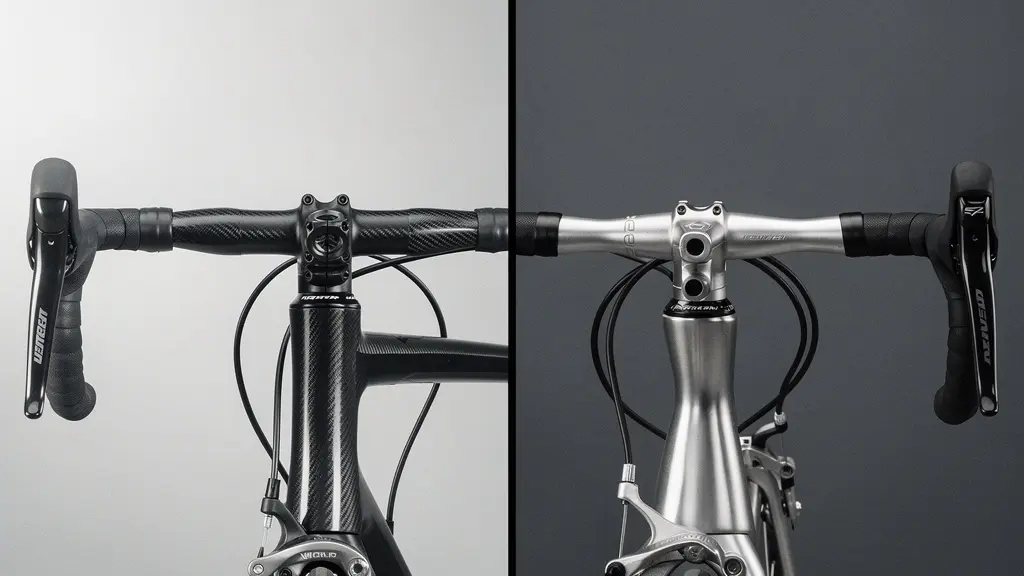
The seductive “clean look” of integrated cockpits comes with a steep, often hidden, “serviceability tax” in frustration, time, and money.
- Integrated systems turn simple adjustments and repairs into complex, expensive workshop jobs.
- Ergonomic lock-in and poor real-world usability (like screen glare and glove operation) undermine the aesthetic benefits.
Recommendation: Unless you are a competitive racer with a team mechanic, the superior adjustability, serviceability, and long-term value of a standard stem and handlebar setup far outweigh the marginal aerodynamic gains of an integrated system.
Walk through the pro peloton, and you’ll see a sea of sleek, seamless cockpits. Integrated handlebars and stems are marketed as the pinnacle of performance: aerodynamic, stiff, and undeniably clean. The temptation to replicate that pro look on your own machine is powerful. The cycling industry sells a dream of watt-saving efficiency and aesthetic perfection, where every cable vanishes and every line flows uninterrupted.
Most advice simply pits “aero and clean” against “adjustable and heavy.” But this binary view misses the point entirely. It ignores the day-to-day reality of owning and maintaining these systems. The real conversation isn’t about a few grams or watts. It’s about a fundamental trade-off between a glossy marketing image and practical, real-world usability. It’s about what happens when that perfect system meets an imperfect world of winter gloves, direct sunlight, and the inevitable need for a repair.
But what if the true cost of that clean look isn’t measured in dollars, but in compromised ergonomics, diagnostic nightmares, and the quiet erosion of your ability to maintain your own bike? This is the perspective of the mechanic in the workshop, not the designer in the wind tunnel. This article will deconstruct the integrated cockpit myth, moving beyond the surface-level talking points to expose the practical consequences—the usability debt—that comes with choosing form over function.
We will examine the real-world challenges these systems present, from visibility in harsh sunlight and interaction with gloves to the catastrophic risks of internal routing and the diagnostic black box they create. This is the conversation the marketing materials won’t have with you, but it’s the one you need to have before making a decision.
Summary: Integrated Cockpit Systems: A Critical Analysis
- Why Glossy Screens Are Dangerous in Direct Sunlight
- How to Prioritize Range and Speed Fields on Small Screens
- Buttons vs Touchscreens: What Works with Winter Gloves?
- The Risk of Pinching Wires in Internal Routing Systems
- When to Update Your Display Software to Avoid Bugs
- OLED vs Transflective Screens: Which Is Readable in Direct Sunlight?
- Deciphering Common Bosch/Shimano Error Codes at Home
- Smartphone vs Dedicated GPS Unit: What to Use for 50-Mile Rides?
Why Glossy Screens Are Dangerous in Direct Sunlight
The marketing photos always show a pristine bike in perfect, soft lighting. But out on the road, the sun is a harsh and unforgiving variable. An integrated cockpit’s primary failure in this environment is ergonomic lock-in. Because the handlebar and stem are a single, fixed unit, so too is the angle of your GPS computer mount. You can’t tilt it away from the sun. This fixed position often creates debilitating glare, turning your expensive data screen into a reflective, unreadable mirror precisely when you need it most.
This isn’t just an inconvenience; it’s a safety issue. A rider forced to take their eyes off the road for several seconds, craning their neck to find a readable angle, is a rider at risk. A standard setup, by contrast, allows for multi-axis adjustment. A simple twist of the mount can eliminate glare instantly. The table below, based on comparative analysis, highlights the stark difference in managing this common problem.
| Feature | Integrated Cockpit | Standard Setup |
|---|---|---|
| Screen Angle Adjustability | Fixed, non-adjustable | Multi-axis adjustment possible |
| Vibration Transmission | Higher frequency transmission | More compliance/dampening |
| Mounting Position Options | Limited to integrated mount | Multiple mounting points |
| Glare Management | Requires head movement | Can adjust device angle |
While manufacturers tout features like 2.3-inch screens with anti-glare coatings, these are often rendered ineffective when the entire cockpit reflects sunlight onto the screen. The ability to manage the device’s angle is a far more effective, if less marketable, feature for real-world visibility.
Ultimately, a system that forces you to choose between seeing the road and seeing your data is a poorly designed system, no matter how clean it looks.
How to Prioritize Range and Speed Fields on Small Screens
With an integrated system, the lack of adjustability extends beyond screen angle to physical interaction. Buttons on GPS units are often small and clustered together. On a standard setup, you can reposition the unit for better access. On an integrated cockpit, you’re stuck with what the designer gave you, which often means compromised accessibility, especially when you’re fatigued or riding on rough surfaces. This forces a strategic and often frustrating pre-ride setup ritual.
You must become a master of data prioritization. Since you can’t easily cycle through screens or access secondary functions on the fly, you have to decide what’s most important before you even clip in. Is it remaining range? Current speed? Heart rate? This turns your multi-function device into a single-function display out of necessity. Some riders adapt, as noted in professional cycling, where the ability to zoom in and out of screens to change the number of data fields visible on the fly is something riders really appreciate. However, this feature is a workaround for a problem created by the integrated system itself—limited button access.
This means your pre-ride check involves configuring display presets in a smartphone app, because on-the-bike adjustments are too cumbersome or dangerous. Auto-scroll features become a necessary evil, cycling through data you might not need just to get to the one field you do. It’s a constant battle to make the technology work around the physical limitations imposed by the hardware.
A standard setup gives you the freedom to interact with your device as needed. An integrated one demands you predict your needs for the entire ride, a subtle but significant downgrade in user experience.
Buttons vs Touchscreens: What Works with Winter Gloves?
The debate between physical buttons and touchscreens takes on a new dimension with integrated cockpits, especially when the temperature drops. A full-fingered winter glove is the mortal enemy of the capacitive touchscreen. While some gloves have “tech-friendly” fingertips, their accuracy is poor at best. Jabbing at a tiny virtual button while bouncing over rough pavement is a recipe for frustration. You might think physical buttons are the obvious answer, but integrated systems complicate this too.
Buttons on modern GPS units are often small, sleek, and designed to be flush with the casing—all in service of aesthetics. On an integrated bar, where the unit’s position is fixed and often further forward, reaching and accurately pressing these tiny buttons with a bulky glove becomes a clumsy, attention-diverting task. It’s a classic case of form over function.
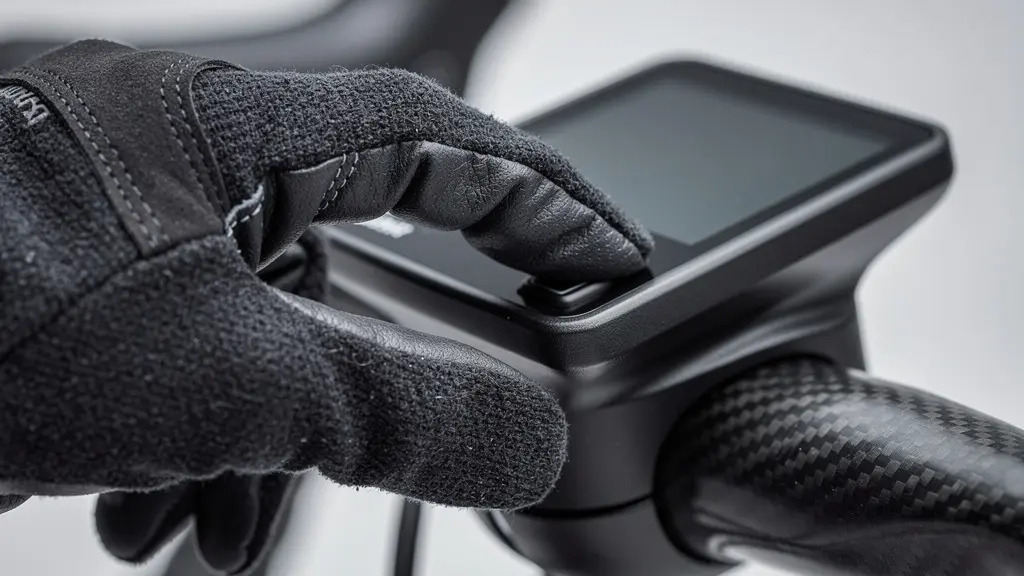
Ironically, some might argue the extreme stiffness of an integrated system provides a more stable platform for prodding a screen. As one technical analysis noted, the unyielding stiffness of an integrated system can provide a more stable platform for jabbing at a touchscreen with a clumsy, gloled finger. This is a perfect example of finding a silver lining in a problem of your own making. You’re only “jabbing” because the system is so poorly suited for nuanced interaction. With a standard, adjustable setup, you can bring the device closer or angle it for better leverage, making both button and touchscreen use far more practical.
When a system fails at a task as basic as being operated with gloves, it has failed as a piece of practical cycling equipment, no matter its aerodynamic credentials.
The Risk of Pinching Wires in Internal Routing Systems
If there’s one area where the “serviceability tax” of integrated systems becomes terrifyingly real, it’s internal cable and wire routing. Hiding cables creates clean lines, but it also creates a diagnostic black box. Wires for electronic shifting, brakes, and accessories are crammed into tight, unforgiving channels inside the carbon structure. This creates a significant risk of pinching, fraying, or kinking during assembly or adjustment, leading to intermittent failures that are a nightmare to diagnose.
You can’t see the problem. A shifting issue could be a dead battery, a faulty derailleur, or a tiny, crushed wire somewhere inside the handlebar that only shorts out when you turn a certain way. On a standard setup, you can inspect most of the cable or housing run. On an integrated one, your first step is often a full, costly disassembly. This risk isn’t theoretical; it has led to major safety recalls.
Case Study: The Specialized Tarmac SL7 Warning
A prime example of this danger was the safety warning issued by Specialized for its Tarmac SL7. The issue stemmed from the head tube area, where the compression ring through which brake hoses and shifter wires were routed was identified as a potential source of damage. This could lead to a compromised steerer tube and catastrophic failure. This incident highlighted how the pursuit of integration can introduce serious, unforeseen safety risks that are completely absent in traditional designs.
This frustration is deeply felt in the workshop. As mechanic Luke Wallis noted from his extensive experience, a major grievance is ‘the one-use aspect of items such as brake hoses and inserts, bearings and bar tape’, highlighting the wastefulness of binning perfectly good items just to access and replace a single bearing. This isn’t just inefficient; it’s expensive and environmentally questionable.
The clean aesthetic of internal routing is paid for with increased risk, diagnostic difficulty, and a mountain of perfectly good components thrown in the bin during routine service.
When to Update Your Display Software to Avoid Bugs
The integration of hardware extends into a less visible but equally restrictive integration of software. When you buy into an integrated cockpit from a specific brand, you are often locking yourself into their proprietary software ecosystem. This has profound implications for updates, bug fixes, and your freedom of choice. With a standard setup, if your GPS manufacturer pushes a buggy update, you can swap to a different brand’s unit in five minutes. You have options.
On an integrated system, you have no such ‘downgrade path’. You are tied to the manufacturer’s update schedule and at the mercy of their quality control. A software bug that makes your head unit unusable can’t be solved by swapping it for a trusty old backup device, because your cockpit only accepts one specific model. Furthermore, firmware conflicts can arise between different integrated components. A GPS update might suddenly create issues with your shifter firmware, and diagnosing this in a closed system is incredibly difficult for a home mechanic.
This creates a perverse incentive to avoid updates. The old mechanic’s adage, “if it ain’t broke, don’t fix it,” becomes a critical survival strategy. You might ignore new features and security patches out of fear that the update will introduce a bug you have no way to recover from. This is the opposite of the seamless, high-tech experience that is marketed. You become a reluctant beta tester for a system that offers no easy way out if things go wrong.
In essence, you trade the open, competitive market of cycling components for a “walled garden” where the manufacturer holds all the keys, and you just have to hope they don’t lock you out.
OLED vs Transflective Screens: Which Is Readable in Direct Sunlight?
The battle for screen supremacy in direct sunlight is a technical one, but it has very practical consequences. Many high-end devices, including smartphones, use OLED screens. These produce vibrant colors and deep blacks by having each pixel generate its own light. This is great indoors, but in bright sunlight, the screen’s light output has to compete with the sun, often losing the battle and appearing washed out. The solution is to crank up the brightness, which demolishes battery life.
Dedicated GPS units often use a different, less flashy technology: transflective LCD screens. These screens use an internal backlight in low light, but in bright conditions, they use a reflective layer to bounce ambient light (like sunlight) back through the display. The brighter the sun, the more light there is to reflect, and the more readable the screen becomes. It’s a brilliantly simple solution that works with the environment, not against it. It doesn’t produce the punchy colors of OLED, but it prioritizes the single most important function of a cycling computer: legibility.
Technical analysis shows that even a 5:1 to 10:1 contrast ratio is needed for basic legibility, a target that transflective screens can easily meet in sunlight without draining the battery. An OLED screen trying to achieve the same contrast must burn through its power reserves at an alarming rate. This is another area where the design choices of a dedicated GPS unit are superior for the specific task of cycling, compared to a general-purpose device like a smartphone.
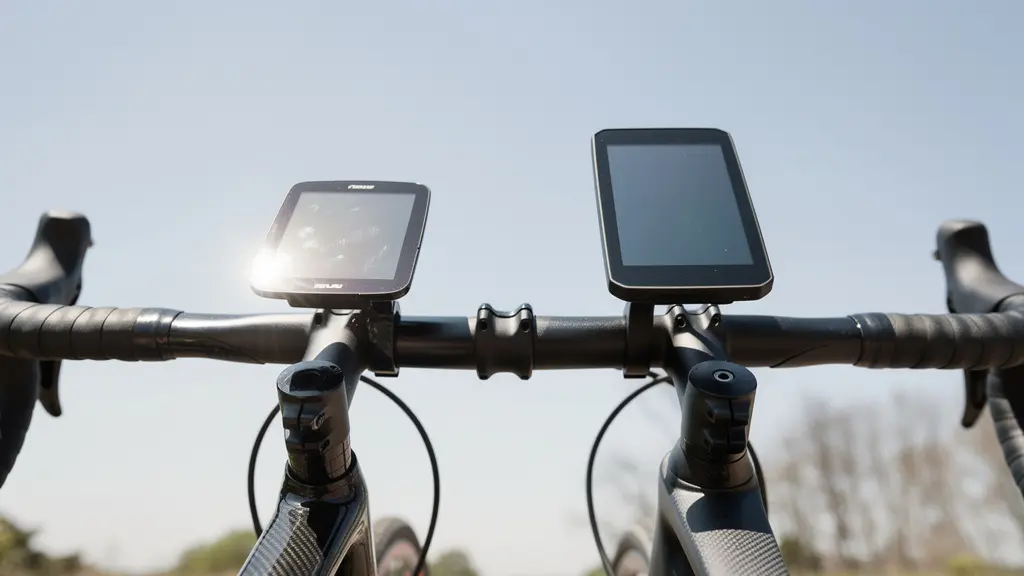
OLED offers a prettier picture, but transflective LCD delivers the right information, reliably, when it matters most. It’s a victory for function over form.
Deciphering Common Bosch/Shimano Error Codes at Home
There is no moment that better crystallizes the frustration of an integrated system than the appearance of an error code. On any modern e-bike or electronic shifting system, an error code like “E012” flashes on your screen, and your ride is over. Now, the real journey begins: the journey into the diagnostic black box. With a standard setup, troubleshooting is a logical, sequential process. You can isolate components, check connections you can actually see, and even swap parts to identify the culprit.
With an integrated system, this process is short-circuited. The most common cause of electronic-shifting errors is a poor connection or damaged wire. As we’ve established, these wires are hidden. You can’t check them. Your first and only step is often a trip to the workshop. The table below starkly illustrates the “serviceability tax” in both time and money for a common connection error.
| Error Type | Standard Setup Fix Time | Integrated System Fix Time | Cost Difference |
|---|---|---|---|
| Connection Error (E012) | 5 minutes | 2-4 hours | $180+ labor |
| Cable Tension Issue | 10 minutes | Complete disassembly required | $150+ labor |
| Component Swap Test | 15 minutes | Not possible | N/A |
| Housing Replacement | 20 minutes | Full system replacement | $500+ parts |
What takes 5 minutes and a wiggle of a wire on a standard bike becomes a multi-hour, high-cost surgical procedure that, as shown by data from workshop job cards, can easily cost hundreds of dollars. You are paying a premium for a system that actively prevents you from maintaining it.
Action Plan: Audit Your Tolerance for the Serviceability Tax
- Points of Contact: List every scenario where you interact with your bike’s cockpit—not just riding, but also routine maintenance, cleaning, and packing for travel.
- Collect: Honestly inventory your current mechanical skills and tools. What are you comfortable fixing yourself, and where do you draw the line and go to a shop?
- Coherence: Confront the numbers. Compare the potential repair times and costs from the table above with your own budget for time and money. How much is your patience worth?
- Mémorabilité/émotion: Evaluate your emotional response to a ride-ending mechanical failure. How important is self-reliance and the ability to diagnose and fix a problem on the road?
- Plan d’intégration: Based on your answers, create a priority list. What’s more important: the clean aesthetic, or the peace of mind that comes with a system you can actually work on?
An integrated cockpit turns you from the owner of your bike into a mere operator, entirely dependent on a specialist for even the simplest of fixes.
Key takeaways
- The aesthetic benefit of integrated cockpits is paid for with a significant “serviceability tax” in time, money, and frustration during routine maintenance and repairs.
- Integrated systems create a closed ecosystem, locking you into specific components and software, which removes rider choice and makes troubleshooting a “diagnostic black box.”
- The final choice depends on your personal priorities: the marginal aerodynamic gains and clean look of integration versus the superior adjustability, serviceability, and long-term value of a standard setup.
Smartphone vs Dedicated GPS Unit: What to Use for 50-Mile Rides?
For many riders, the device on their handlebar isn’t a dedicated GPS at all, but the smartphone in their pocket. It’s a tempting proposition: one device that does it all. However, when paired with an ultra-stiff integrated cockpit, this convenience can come at a very high cost. The issue is vibration. Integrated systems are designed for stiffness to improve power transfer and handling, but this means they also transmit high-frequency road buzz directly to whatever is mounted on them. This is a known killer of delicate electronics.
Specifically, as confirmed by an engineering analysis of vibration impacts, these vibrations can permanently destroy the sophisticated Optical Image Stabilization (OIS) systems in modern smartphone cameras. The tiny, floating lens mechanisms simply aren’t designed to handle that kind of sustained, high-frequency shaking. You might finish your ride to find your phone’s camera can no longer focus, a repair that can cost hundreds of dollars. Dedicated GPS units, on the other hand, are built for this environment. They contain no such delicate moving parts and are designed from the ground up to withstand the rigors of the road.
Mounting solutions also differ drastically. Standard handlebars offer a vast, open market of third-party phone mounts, many with built-in vibration dampening. Integrated systems require proprietary, system-specific mounts that offer little to no dampening, exacerbating the OIS issue. The choice is clear: if you must use a smartphone, a standard setup with a high-quality, vibration-dampening mount is non-negotiable.
Mounting Solutions for Different Cockpit Types
- For integrated cockpits: Use dedicated GPS units with proprietary mounts designed for the specific integrated system. Avoid mounting smartphones directly.
- For standard setups: Choose from the wide range of third-party smartphone mounts, prioritizing those with proven vibration dampening features.
- Power bank routing on integrated: If you need external power, plan your cable path meticulously before the ride, as internal routing limits on-the-fly adjustments.
- Power bank routing on standard: Utilize a frame bag or other storage with external cable guides for easy, accessible power bank connection.
- Consider wireless charging mounts to eliminate cable routing issues entirely, but be aware they can generate heat and are often less efficient.
Ultimately, using a smartphone on an integrated cockpit is a gamble. You’re betting a $1000 phone against a few grams of aerodynamic drag, and from a mechanic’s perspective, that’s a losing bet every time.
Frequently Asked Questions on Integrated Handlebars vs Standard Stems
How do proprietary integrated systems affect software update flexibility?
Integrated systems often lock you into a single manufacturer’s ecosystem and update schedule, removing the freedom to choose best-in-class GPS units from different brands.
What happens if a software update causes issues on an integrated system?
Unlike standard setups where you can easily swap to a simpler unit, integrated systems offer no ‘downgrade path’ to non-software-dependent components. You are stuck with the problem until the manufacturer issues a fix.
Can firmware conflicts occur between integrated components?
Yes, GPS unit software updates might create conflicts with integrated shifter firmware, which is harder to diagnose in closed systems due to the lack of component visibility and interchangeability.